
In short
- Three sizes cover most slots: 300×250 (desktop and phone), 320×50 or 320×100 (phones) and 728×90 (desktop).
- The most common size is not the most clicked. 320×50 was 50.5% of all impressions in our network and got 0.18%; 320×100, twice as tall, got 9.0× the clicks of it (1.62%).
- The best kind of ad was several products with prices: 0.44%, 29% more clicks than one product with its price (0.34%).
- Keep each image under 150 KB - the Google Ads limit for uploaded image ads, and a safe limit everywhere else.
Which banner sizes get the most clicks
The 4 sizes that carry most of the impressions - 320×50, 300×250, 728×90, 300×50 - sit between 0.18% and 0.46%. Where two sizes fit the same spot: 320×100 got 1.62% against 0.18% for 320×50 on phones, and 300×600 got 1.06% against 0.33% for 728×90 on desktop - the bigger size won both times.
Prices and several products: what gets clicked
Every Adeagle ad comes in four versions. Across all sizes, this is how they compared:
Which ad sizes to start with
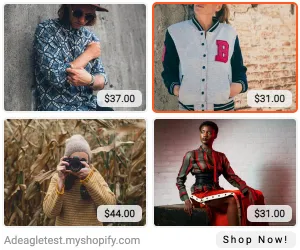
- 300×250 - the medium rectangle. Runs on desktop and phones, inside articles and in app feeds. If you make one size, make this one.
- 320×100 - the large mobile banner. The phone size with room for a product and a price; in our data it got 9.0× the clicks of 320×50.
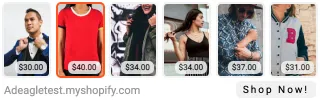
- 728×90 - the leaderboard. The desktop strip above the content; eight products fit in a row.
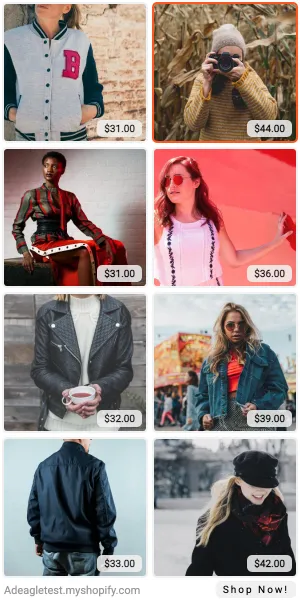
- 300×600 - the half page. The largest standard size on desktop: 1.06% in our data, against 0.37% for the average banner.
Add 320×50 for reach on phones and 160×600 for sidebars. The rest - 468×60, 250×250, 200×200, 180×150, 300×50, 320×48 and the full-screen 320×480 and 480×320 - fill the slots the main sizes miss.
Specs for banner image ads
| Rule | Limit |
|---|---|
| File size | 150 KB or less per image (Google Ads uploaded image ads) |
| Formats | JPG or PNG for photos, GIF for simple animation |
| Animation | stops after 30 seconds; slower than 5 frames per second |
| Exact size | the image must match the slot to the pixel - 300×250 means 300 by 250 |
| Sharp screens | design at 2× (600×500 for 300×250) and export at the slot size, or let the network scale it |
Design rules that hold in every size: one clear product per photo, little or no text inside the image, the price in plain view, a visible button or store name, and a border or background so the ad doesn't melt into a white page. The examples on each size's page show how this looks at 1×.
Every size, made for you
Designing 15 sizes by hand - and again for every new product - is why many small stores never run display ads. Adeagle draws every size automatically from your product photos, names and prices, picks the products each shopper is most likely to want, and shows them on websites and in apps that match your products. The examples on these pages are exactly that: real Adeagle ads, made from the products of our demo store. Click one and you land on the product, the way a shopper would.
Sources: Adeagle network data (September 1 to October 31, 2026); Google Ads, image ad specifications (sizes, 150 KB, animation rules) and Google AdSense, guide to ad sizes (size names).