
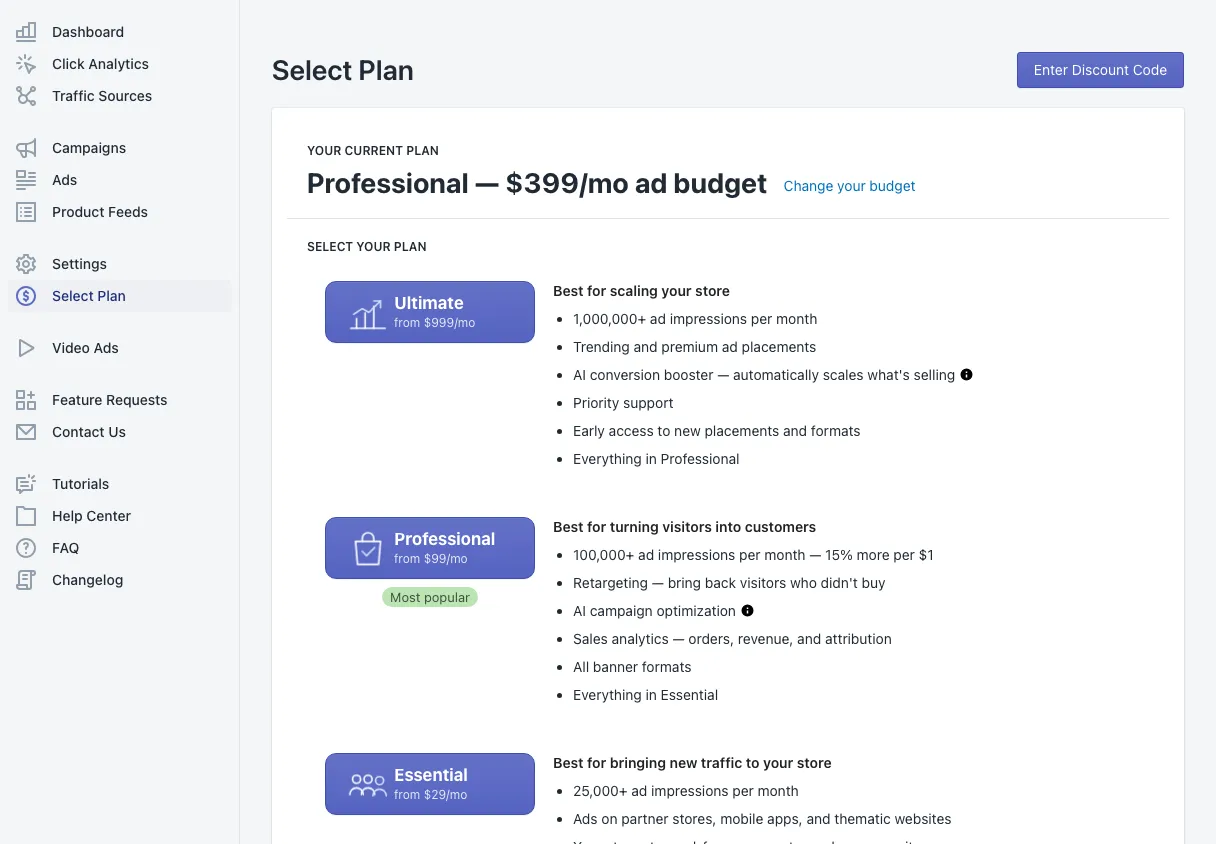
Select Plan is where you choose your plan and your monthly ad budget. On every paid plan, the price you choose is your ad budget — there is no separate fee on top.
Your current plan
The top of the page shows your plan and its monthly budget, for example Professional — $399/mo ad budget. Change your budget opens the budget slider for your plan.
The plans
Each plan card lists what it is best for and what it includes:
- Ultimate — for scaling your store: the most impressions, trending and premium placements, the AI conversion booster and priority support.
- Professional — for turning visitors into customers: retargeting, AI campaign optimization and sales analytics. The most popular plan.
- Essential — for bringing new traffic: ads on partner stores, websites and apps, no partner ads in your store, and unlimited campaigns.
- Standard — free: an ad exchange between Shopify stores.
The prices and ranges of every plan are on the pricing page.
Choose your monthly budget
Click a plan to open its budget window:
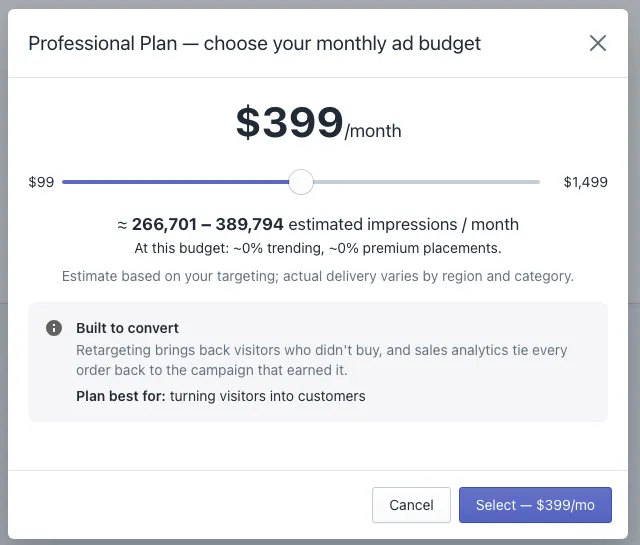
- Drag the slider to your monthly budget.
- Read the estimated impressions per month for that budget. The estimate depends on your targeting; delivery varies by country and category.
- Click Select to continue.
- Shopify asks you to approve the charge. The plan starts as soon as you approve it.
Billing goes through your Shopify invoice, like every Shopify app. You can change the budget or the plan at any time, and there is no contract.
Discount codes
Have a code? Click Enter Discount Code at the top right before you choose a plan.
Moving to the free plan
Choose Standard to move to the free ad exchange. Adeagle asks one short question about why you are switching — it helps us improve. On Standard your store shows partner ads; see Settings for how to control them.
Where to go next
- Split your budget between campaigns in Campaigns.
- Read how per-campaign budgets work.
Questions
No. On every paid plan the price you choose is your monthly ad budget, and all of it is spent on your ads.
A new 30-day budget cycle starts with the new amount, and Shopify adjusts the charge. Your campaigns keep running.