Settings holds the options that apply to your whole account. What you see depends on your plan: every plan has the first two sections; the free Standard plan adds the settings for the partner ads shown in your store.
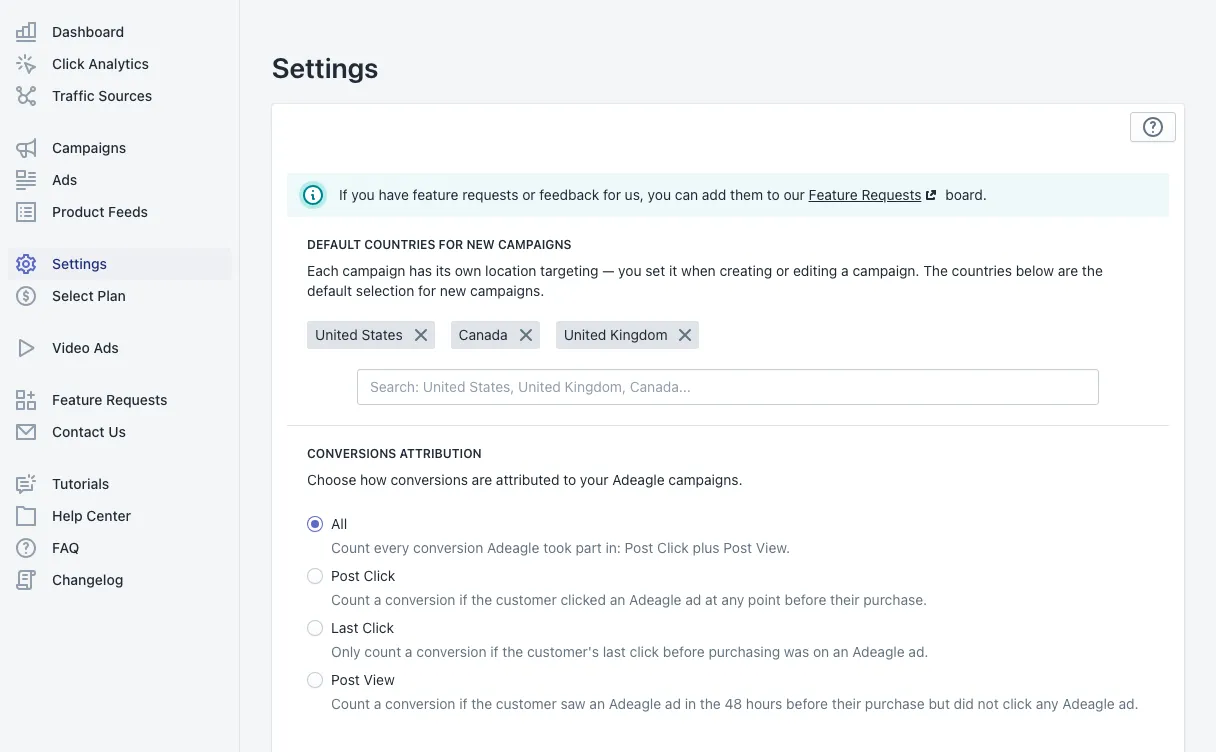
Default countries for new campaigns
Every campaign has its own countries, set in the campaign wizard or when you edit a campaign. The countries here are the default the wizard fills in for each new campaign. Your first campaign’s countries become this default automatically.
Type a country name to add it; click the × on a country to remove it.
Conversions Attribution
Choose how orders are credited to your Adeagle campaigns:
- All — every order Adeagle took part in: Post Click plus Post View. The default.
- Post Click — the shopper clicked an Adeagle ad at any point before buying.
- Last Click — the shopper’s last click before buying was on an Adeagle ad.
- Post View — the shopper saw an Adeagle ad in the 48 hours before buying, without clicking any Adeagle ad.
This sets the default view of the Dashboard and Campaigns; you can still switch the view there at any time. More in Post-view conversions.
Tracking settings
If your store still uses the older tracking method, Settings asks how shoppers give consent: use your own consent banner, show Adeagle’s consent banner, or disable tracking. Stores with the current Adeagle app embed respect your store’s own consent settings, and this section is not shown.
On the free Standard plan: ads in your store
The Standard plan is an ad exchange: your store shows partner products, and in return your products are shown in partner stores. These sections control the partner ads in your store.
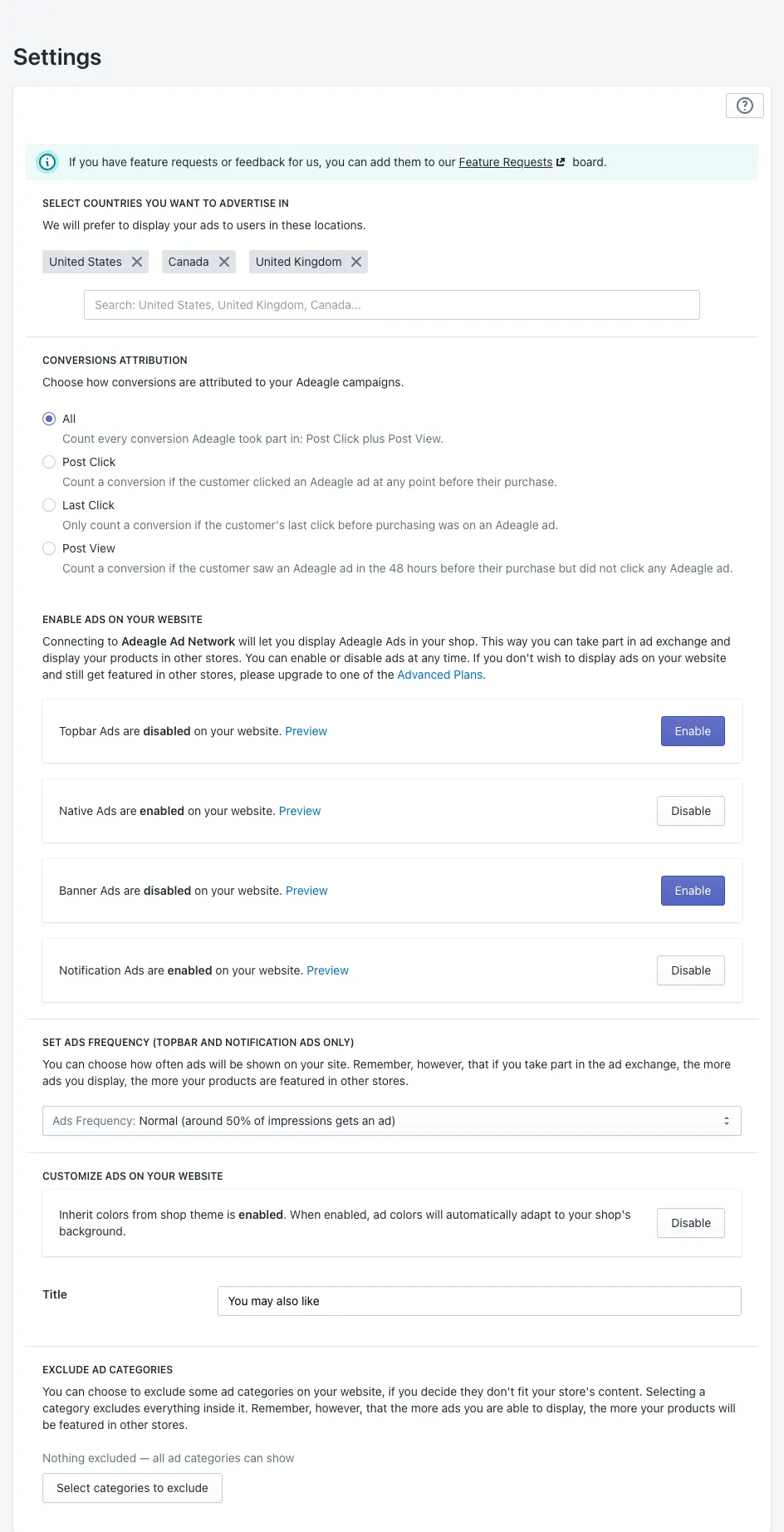
Enable ads on your website
Turn each format on or off, and click Preview to see it:
- Topbar Ads — a slim bar at the top of your store.
- Native Ads — products in a minimal block that blends into the bottom of your pages.
- Banner Ads — a customizable block in the bottom section of your store.
- Notification Ads — small notifications that slide into the bottom corner and disappear after a few seconds.
One format is enough. The more ads your store shows, the more your own products are shown in partner stores.
Ads frequency
For Topbar and Notification Ads: how often they appear, from Maximum (about 90% of page views) to Minimum (about 10%).
Customize ads on your website
- Inherit colors from shop theme — on by default: the ads take your theme’s colours automatically.
- Turn it off to set the theme, font and border colours yourself.
- Title — the heading above native and banner blocks, such as You may also like.
Exclude ad categories
Pick the ad categories you never want in your store. Selecting a category excludes everything inside it.
Want no ads in your store?
Every paid plan advertises your products across partner stores, websites and apps with no partner ads in your store. See Select Plan.
Questions
No. Each campaign has its own countries. Settings holds the default that the campaign wizard fills in for new campaigns.
On the free Standard plan you can disable each ad format and exclude whole ad categories. On any paid plan your store shows no partner ads at all.