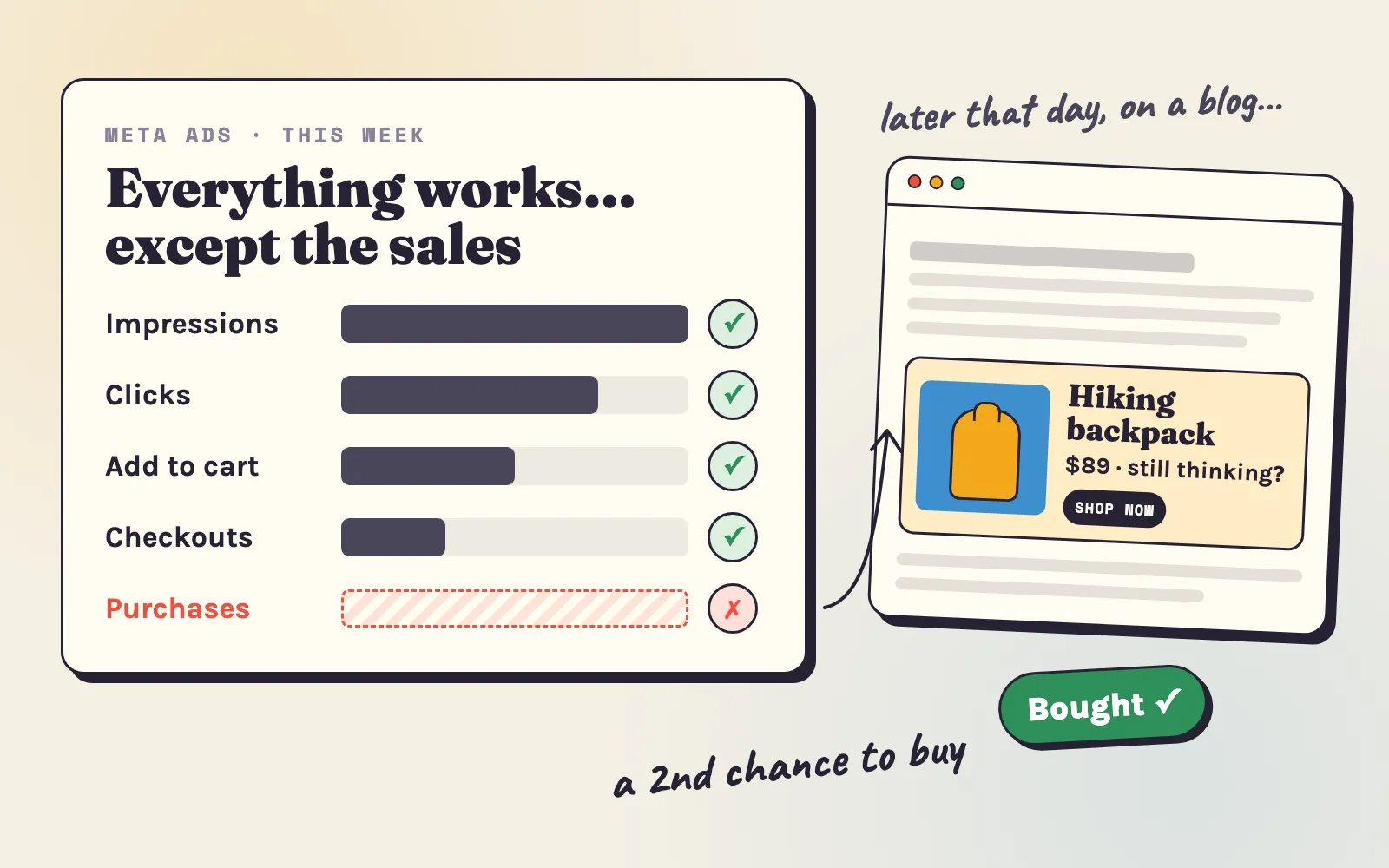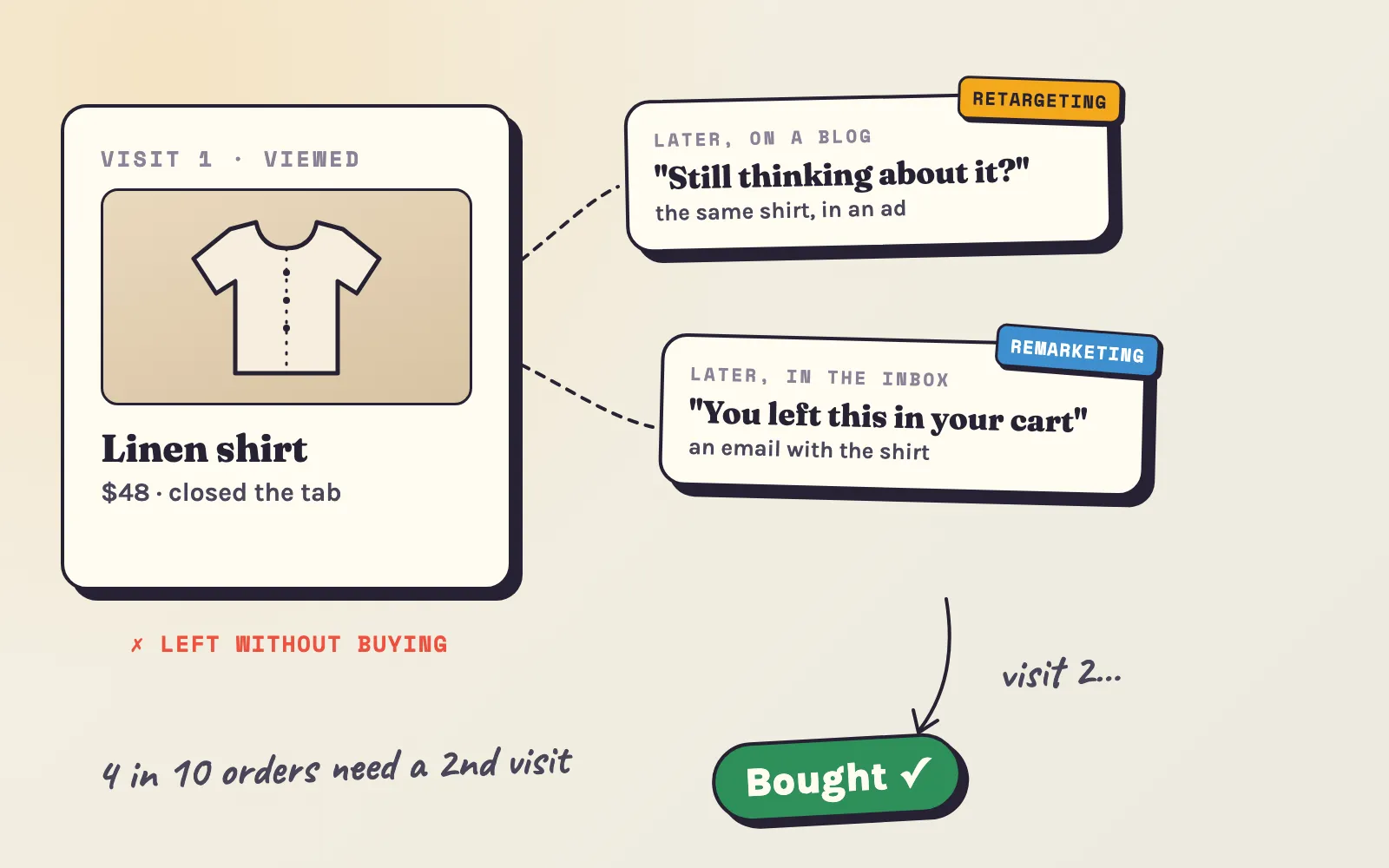
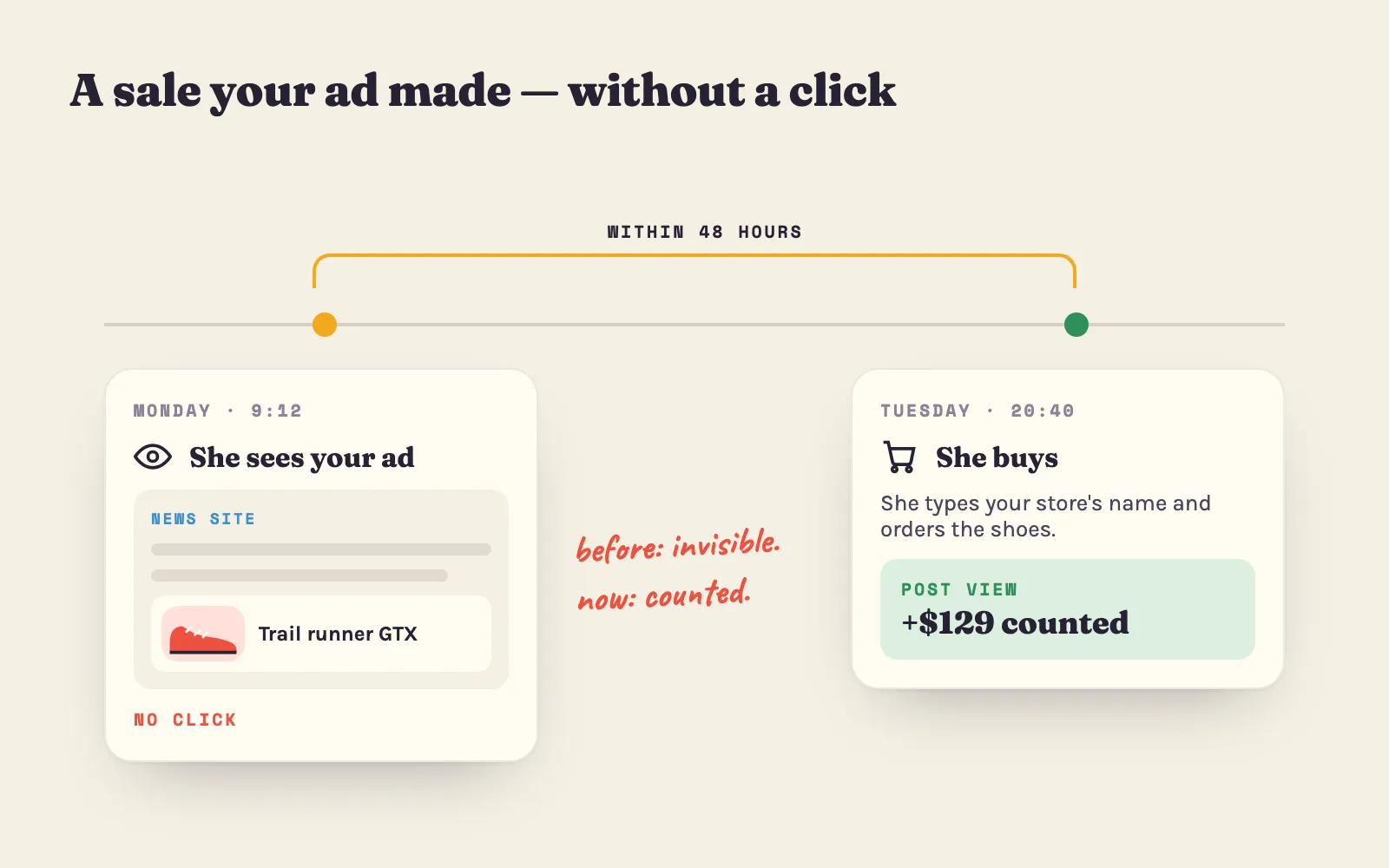
Not every shopper clicks an ad. Many see your product in a banner, remember it, and come back later to buy — by typing your store’s name, or through a link they saved. Until now those sales were invisible in Adeagle, because we only counted sales that came from a click.
That changes today. Adeagle now also counts post-view conversions.
What is a post-view conversion?
A post-view conversion is a sale from a shopper who saw one of your ads in the 48 hours before buying, without clicking it.
This is close to how Meta and Google Ads define a view-through conversion. So for the first time, you can put your Adeagle numbers next to theirs and compare like with like.
Four ways to look at the same sales
“Attribution” is simply the rule that decides which sales get credited to your ads. Your Dashboard and the Campaigns section now have a small Conversions menu with four ways to look at the same sales:
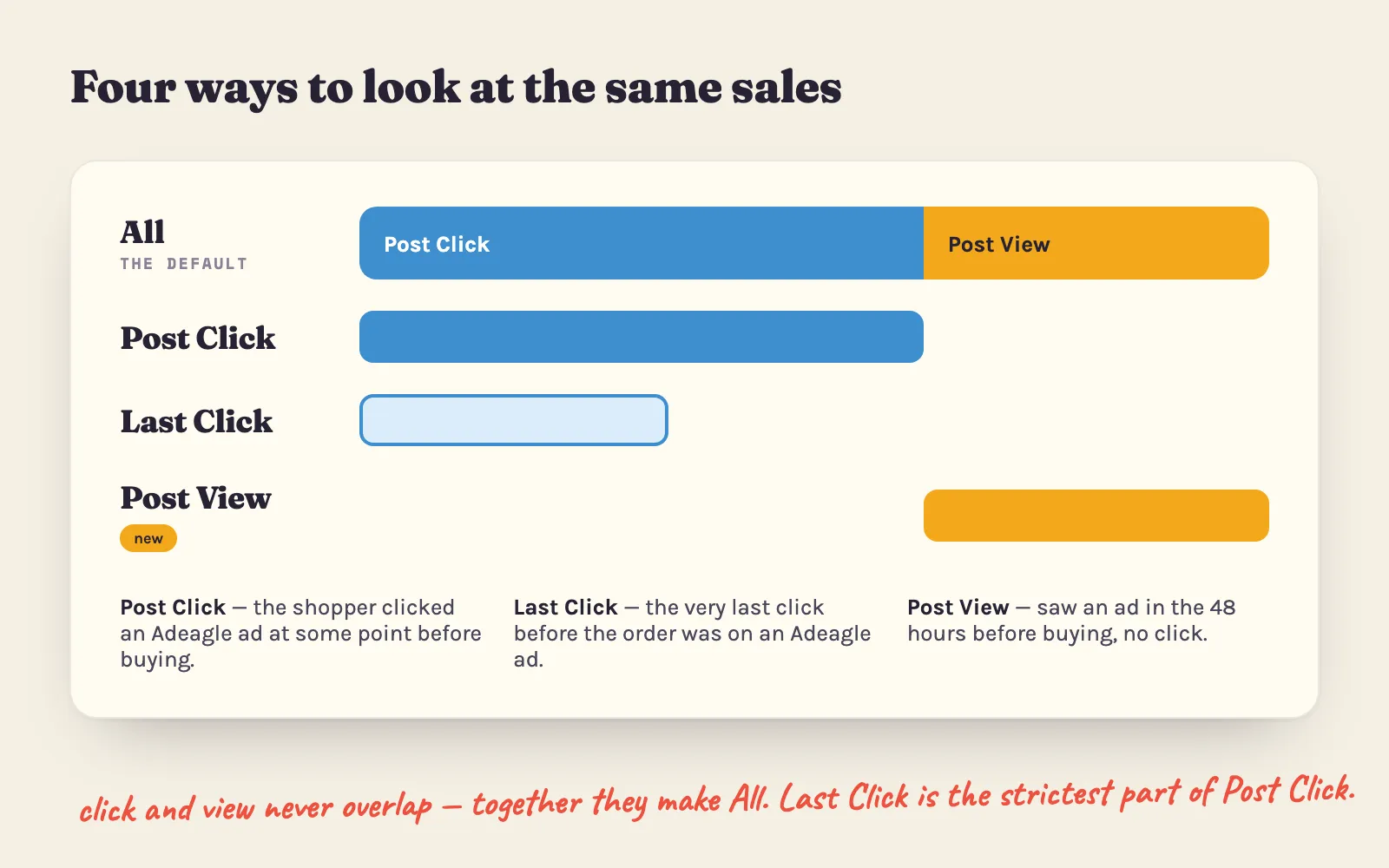
- All — every sale your Adeagle ads took part in: the clicks and the views added together. This is the new default, and the fullest picture of what Adeagle brings your store.
- Post Click — the shopper clicked one of your Adeagle ads at some point before buying, even if they left and came back later through Google or a newsletter. This is what we used to call “Influenced”.
- Last Click — the strictest one: the very last click before the purchase was on an Adeagle ad, and nothing else touched the shopper in between. This is what we used to call “Direct”.
- Post View (new) — the shopper saw one of your ads in the 48 hours before buying, but did not click any Adeagle ad.
Post Click and Post View never overlap: a sale is one or the other. Add them up and you get All.
How does Adeagle know a shopper saw your ad?
When your ad is shown, we remember the visitor it was shown to. When an order comes in, we check whether that visitor saw one of your ads in the two days before — in partner stores, on websites and in mobile apps.
There is no extra setup on your side: it works with the tracking you already have, and it respects the consent settings of your store.
Why your numbers just grew
If you open your dashboard today, you will probably see more orders and more revenue than last week. Nothing about your ads changed — Adeagle now shows the sales that were already happening but were invisible.
This also changes your ROAS: revenue per dollar of ad spend now includes the sales your ads made by being seen. It is the number to compare with your Meta and Google Ads results, because they count views the same way. The ROAS calculator shows the ROAS your margin needs.
Which view should you use?
- Judging Adeagle as a whole? Use All. It is the closest to what your ads really do for your store.
- Comparing with Shopify Analytics? Use Last Click. Shopify credits an order to the last source the shopper came from, so this view lines up best.
- Curious how much being seen sells? Use Post View on its own.
You can switch between them at any time, and nothing is lost: every view reads the same orders.
Why this matters next to Meta and Google
Adeagle ads don’t compete with your Meta and Google campaigns — they complete them. Your Adeagle ads run in different places: partner online stores, news sites, blogs, magazines and mobile apps. Different places, but the same shoppers.
Someone who scrolled past your product on Instagram sees it again in an Adeagle banner on a news site the next morning — and that second look is often the one that sells. Post-view conversions finally make that second look visible.
Where to find it
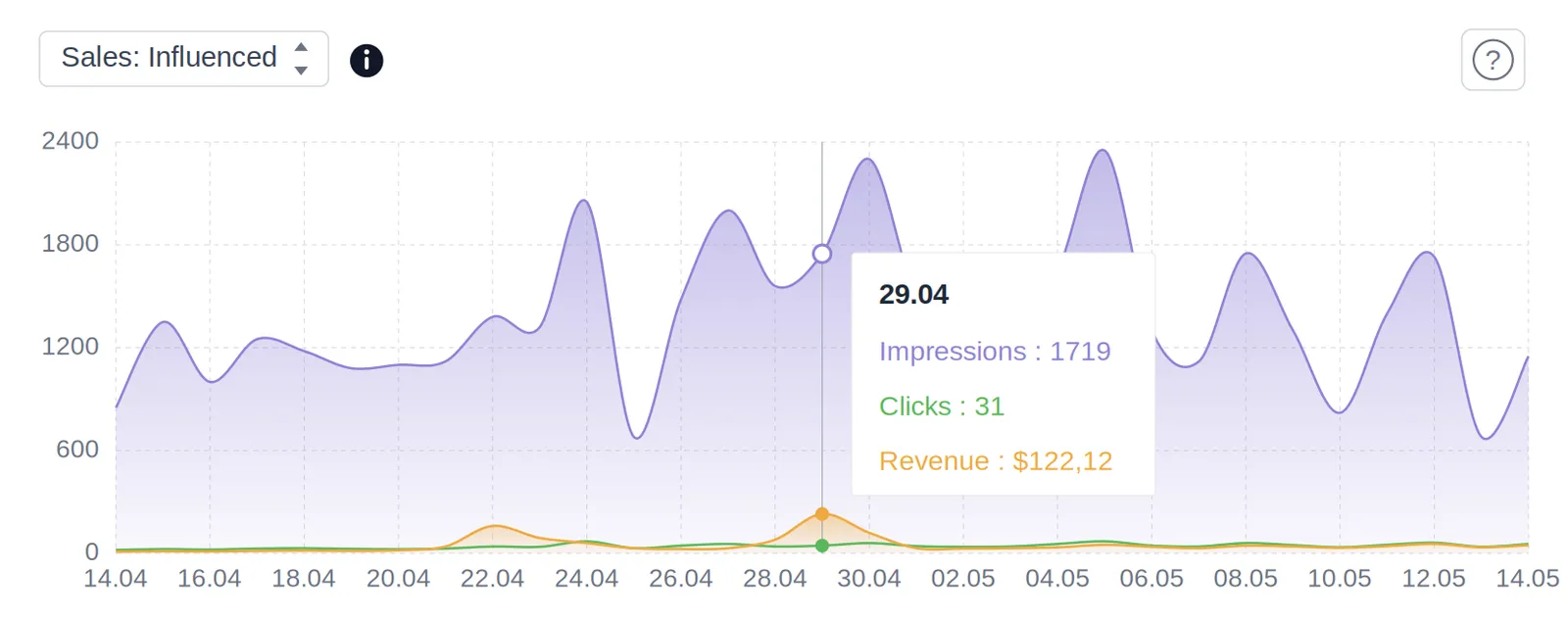
Open your dashboard and use the Conversions menu above the chart to switch between the four views. The Campaigns page has the same menu, so you can see which campaign the sales came from. Your default is All; you can change it any time in Settings under Conversions Attribution. More about how sales are counted is in the sales metrics post and the FAQ.
On the free Standard plan?
Post-view conversions count for you too — every time a partner store shows your product. The paid plans put your ads in front of many more shoppers, across websites and mobile apps, which means more views and more of these sales.
Questions
A sale from a shopper who saw one of your Adeagle ads in the 48 hours before buying but did not click any Adeagle ad. Meta and Google Ads count view-through conversions in a similar way, so you can compare the numbers.
All gives the fullest picture of what Adeagle brings your store. Last Click is the strictest and is closest to how Shopify Analytics credits orders. Post View shows the sales that came from being seen.
No. Post-view conversions work with the tracking you already have. You can change your default view in Settings under Conversions Attribution.