
You set up the store, added the products, maybe even ran a few ads. The visitors counter moves. The orders counter does not. If that is your store today, you are in a crowded room: “No sales. I’ve had no sales at all. Is there something wrong?” is one of the most common questions in the Shopify Community.
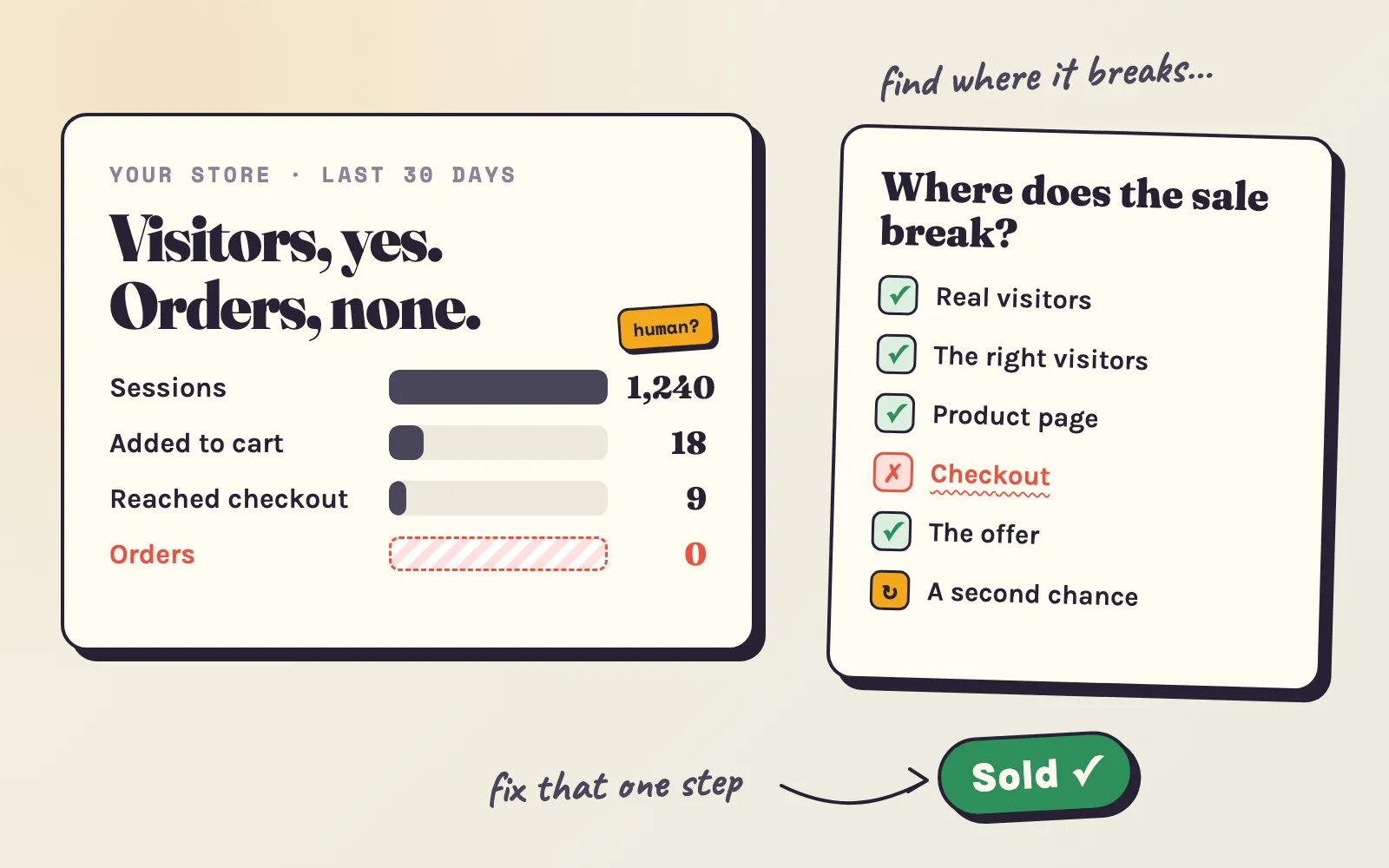
The good news: a store with no sales almost never has ten problems. It has one or two, in one of five places. This guide helps you find yours with the numbers you already have, and then gives you fixes for each one - whether you have no budget or a few hundred dollars, whether you edit theme code or have never opened it.
- Do enough real people visit?At least about 300 human sessions in the last 30 days - not bots.If not: cause 1
- Are they the right people?From the countries you ship to, from sources that match what you sell, staying longer than a few seconds.If not: cause 2
- Do they add to cart?Roughly 3 or more in every 100 sessions add something to the cart.If not: cause 3
- Do carts become orders?About half of the checkouts that start should end in an order.If not: cause 4
- Is the offer worth it?Your total price, delivery and reasons to buy hold up next to three competitors.If not: cause 5
- All yes, still few sales?Most buyers need more than one visit. Give them a second chance.Second chance
How many visitors before you should worry?
Most new stores ask “why no sales?” too early. Selling is a numbers game: the average Shopify store converts about 1.4% of its sessions into orders, and the top 20% of stores convert more than 3.2% (Littledata benchmark). So one order takes about 70 real visitors - on average. With small numbers, chance plays a big part:
| Real visitors so far | Chance of zero orders at a 1.4% conversion rate (average store) | At 0.5% (new store, no reviews yet) |
|---|---|---|
| 50 | 49% | 78% |
| 100 | 24% | 61% |
| 200 | 6% | 37% |
| 300 | 1.5% | 22% |
| 500 | 0.1% | 8% |
What this means for you: with fewer than about 300 human visitors in a month, your problem is almost certainly traffic. Spend your time on cause 1, not on redesigning the store. With more, read on.
Read three numbers in Shopify Analytics
This takes five minutes, and it tells you which section of this guide is yours.
- In your Shopify admin, go to Analytics > Reports and open a sessions report, for example Sessions over time.
- Add the filter Human or bot session = Human. Shopify added this filter in October 2025 (changelog); without it, bots inflate your visitors and hide your real conversion rate.
- Set the date range to the last 30 days and note three numbers from the conversion report: sessions, sessions with cart additions and sessions that completed checkout (compare them with sessions that reached checkout).
Now match what you see:
| What you see | What it usually means | Go to |
|---|---|---|
| Under ~300 human sessions a month | Not enough traffic yet | Cause 1 |
| Many sessions, but from one city, 0-second visits, or countries you don’t ship to | Bots or the wrong visitors | Cause 1, cause 2 |
| Real sessions, but fewer than about 3 in 100 add to cart | The product page does not convince | Cause 3 |
| Carts and checkouts, but few orders | Surprises at checkout | Cause 4 |
| Visitors browse many products and leave | The offer or price | Cause 5 |
Cause 1: not enough real visitors
First, take the bots out. About half of all web traffic is automated (Imperva Bad Bot Report 2025). In a small store, bots can be most of the “visitors”. The signs: sessions concentrated in one city, visits that last 0 seconds, lots of “direct” traffic with no referrer. The human filter from the step above removes them from your numbers. They do no harm - they just make you think you have traffic you don’t have.
Then get real visitors. What works depends on what you can spend:
With no budget
- List your products on Google for free. Install Shopify’s Google & YouTube app, connect a Google Merchant Center account and sync your products. Approved products can appear for free in the Shopping tab, Search, Images and YouTube (Shopify guide). It is the closest thing to free search traffic for a new store.
- Post short videos of the product in use. TikTok, Instagram Reels and YouTube Shorts show new accounts to strangers. One clip a day for two weeks - unboxing, before and after, how it is made - teaches you more than a month of guessing.
- Pin your products on Pinterest if you sell something visual: home decor, fashion, gifts, food. Pins keep bringing visitors for months.
- Help where your buyers already talk. Subreddits, Facebook groups and forums about your niche. Answer questions first, mention your store only where it truly helps - and say it is yours. Most communities remove hidden self-promotion.
- Ask your first circle. Friends, family, local groups - not to buy out of pity, but to try the product and leave an honest review. Your first reviews matter more than your first sales (see cause 3).
- Swap visitors with other stores. On Adeagle’s free plan, your products appear as ads in other Shopify stores, and their products appear in yours - an ad exchange with partner stores, at no cost.
- Name products the way buyers search. “Linen shirt, short sleeve, sand”, not “Summer vibes #3”. It costs nothing and helps Google, Shopify search and ads.
With a small budget ($30–100 a month)
- Display ads on related websites bring the cheapest visitors. Adeagle shows your products as ads on other Shopify stores, blogs and apps that match what you sell - you pick the product categories and shopper interests. On the Essential plan, from $29 a month, a visitor costs about $0.13.
- Google Shopping ads on your one best product catch people who are already searching for it. Keep the daily budget small and the product feed clean.
- Gift your product to two or three micro-creators whose followers are your buyers. Ask for an honest post, not an ad read.
With a bigger budget
Use each channel for what it is good at: social ads (Facebook, Instagram, TikTok) to find new buyers, Google for people who already search, and retargeting to close the sale (see the second chance below). Test three creatives at a time, and judge them on orders, not clicks.
Cause 2: the wrong visitors
Plenty of visitors and still nothing? Check who they are. In Shopify Analytics, look at sessions by location and by referrer:
- Countries you don’t ship to. Stop the ads there, or show the right currency and shipping with Shopify Markets.
- One source with 0–10 second visits. A cheap ad placement, a link on an unrelated site or a promotion that attracted bargain hunters. Turn it off and move the money to sources whose visitors stay.
- An ad that promises something the page doesn’t show. Same product, same price, same photo from the ad to the page. A mismatch loses the visitor in seconds.
- Influencer traffic that doesn’t buy. Their audience may like them, not your product. Pick creators by who follows them, not by how many.
Targeting is the fix. On social ads, narrow the audience to interests close to your product. On Adeagle, choose your product categories and shopper interests so your ads appear on pages about what you sell - fashion blogs for a clothing store, cooking sites for kitchenware - instead of anywhere a cheap view is for sale.
Cause 3: visitors leave the product page
If real visitors arrive and fewer than about 3 in 100 add to cart, the product page is not doing its job. Shoppers can’t touch the product or ask you a question, so the page has to answer everything:
- PhotosFive or more, the product alone and in use, the same background on every product. A phone and daylight are enough to start.
- Price and deliveryShow the shipping cost and delivery time next to the price, not only at checkout.
- ReviewsA product with five reviews is about 270% more likely to sell than one with none (Spiegel Research Center). Ask your first buyers; never fake them.
- Returns and guaranteeOne clear line under the button: "Free 30-day returns" beats a policy nobody finds.
- DescriptionWhat it does for the buyer first, then sizes, materials and care - in short lines that read well on a phone.
- Proof you are realAn About page, a contact email, your country, social links. New stores lose sales to doubt, not to price.
- The phone testOpen the page on your phone. Is the buy button visible without scrolling? Does it load in under 3 seconds? About 3 in 4 visitors see it there.
Speed matters more than it looks. In a study by Deloitte for Google, retail sites that got 0.1 seconds faster on mobile saw 8.4% more conversions (web.dev case study). What you can do:
- No code: compress large images before you upload them, remove apps you no longer use (each adds scripts to every page), and choose a light theme such as Shopify’s free Dawn.
- If you are comfortable with code: run your product page through PageSpeed Insights, remove scripts that leftover apps still load, and delay what is not needed for the first screen.
A quick test anyone can do: ask three people who match your buyer to buy something on their phone while they talk out loud. Write down every place they hesitate. That list is your to-do list.
Cause 4: carts that never become orders
About 70% of online shopping carts are abandoned. Some of that is window shopping, but when shoppers who meant to buy leave, Baymard Institute’s survey shows why:
Most of these have a fix you can make today:
- Extra costs (40%): show shipping on the product page and in the cart. A free-shipping threshold a little above your average order - for example, free over $65 when your average order is $55 - turns the cost into a reason to add one more item.
- Slow delivery (20%): say how long delivery takes before checkout. If you dropship from far away, offer a faster option, even at a price.
- Distrust (19%): turn on Shop Pay and PayPal - shoppers trust the brands they know with their card.
- Account creation (18%): let customers check out as guests - in Settings > Customer accounts, make sure an account is optional, not required.
- Long checkout (17%): accelerated checkouts - Shop Pay, Apple Pay, Google Pay - fill in the address and card in one tap.
- Errors (17%): place a test order on your own phone once a month. Apps and theme updates break checkouts more often than you’d think.
- Not buying now: Shopify sends an abandoned checkout email for free - check it is on under Marketing > Automations (in older admins, Settings > Notifications) and that the text sounds like you. Across Klaviyo’s customers, the average abandoned cart email turns 3.3% of recipients into orders, and the top 10% reach 7.7% (Klaviyo benchmarks).
Cause 5: the offer does not convince
Sometimes everything works and the answer is still “no”. Then the problem is the offer itself:
- Compare your total price - product plus shipping - with three competitors a shopper would find on Google. If yours is higher, the shopper needs a reason.
- Give that reason: a bundle, a guarantee, faster delivery, a story of who makes it, a size or color nobody else has. “Same product, same price, unknown store” rarely wins.
- Watch for a saturated product. If the same item is sold by dozens of dropshipping stores and on marketplaces, price is the only difference - and you will lose that race.
- Check that your margin can pay for traffic. If a sale leaves you $8 and a visitor costs $0.80, you need a 10% conversion rate to break even - which almost no store has. Change the price, the bundle or the product before you spend more on ads. The ROAS calculator and the CPA calculator show the line you must beat.
The step most stores skip: a second chance to buy
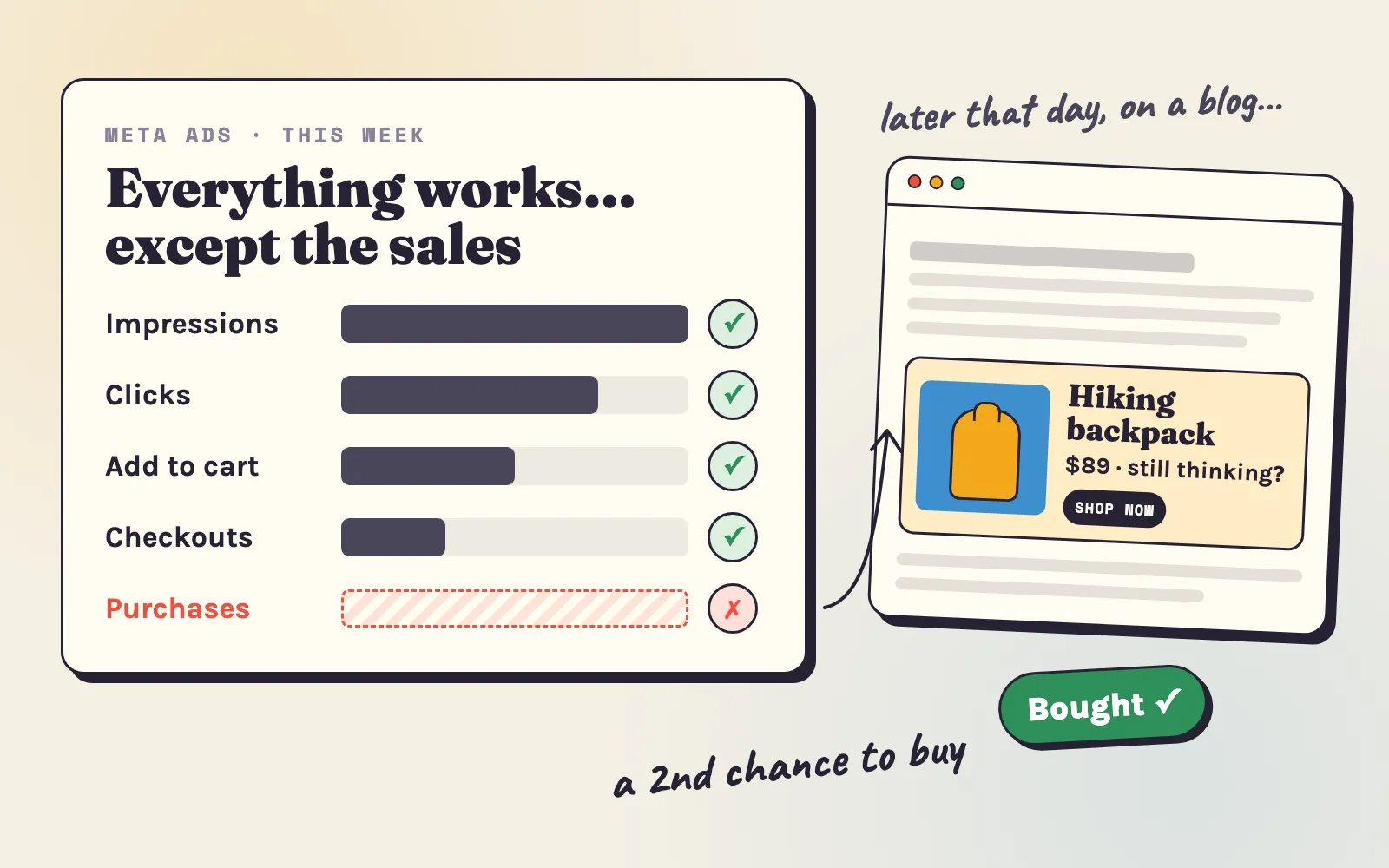
Here is what most “no sales” advice leaves out: many buyers never buy on the first visit. They look, leave, compare, and come back - if something brings them back.
So a visitor who leaves today is not lost - but only if you can reach them again. Three ways, from free to paid:
- Collect the email on the first visit. A short pop-up with a small first-order discount is enough. Shopify Email sends 10,000 emails a month for free, and abandoned checkout emails don’t count toward that (Shopify help).
- Switch on the abandoned checkout email (see cause 4) - it reaches the shoppers who got furthest.
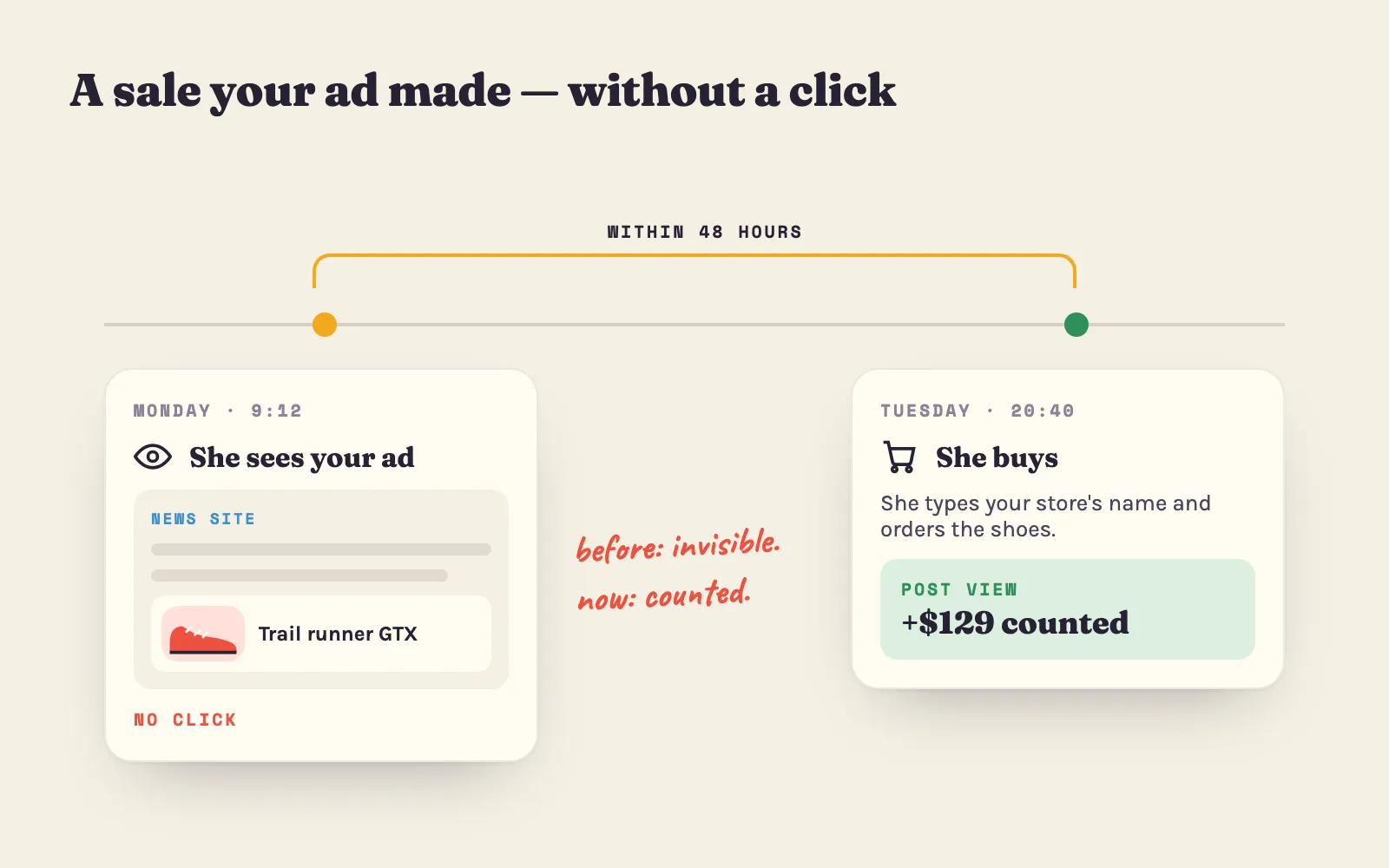
- Retarget the visitors who didn’t buy. Retargeting shows a visitor the products they looked at, later, on other sites they visit. Most visitors never leave an email, so this is the only way to reach them. On Adeagle, retargeting shows your viewed products on other Shopify stores, blogs and apps - and retargeting ads are clicked 6 to 12 times more often than ads to new shoppers.
A 30-day plan
Pick the column that fits your budget. Each week builds on the one before.
| Week | If you have no budget | If you have $30–100 a month |
|---|---|---|
| 1 | Filter out bots, read your three numbers, place a test order on your phone, fix shipping display and guest checkout. | The same - fix the store before you pay for traffic. |
| 2 | Product pages: photos, delivery and returns lines, ask your first circle for honest reviews. Install the Google & YouTube app. | The same, plus pick your one best product to advertise. |
| 3 | One short video a day; answer five questions in your niche’s communities; turn on the free ad exchange with partner stores. | Start display ads on related sites ($29+) or a small Shopping campaign; aim for 300 real visitors. |
| 4 | Email pop-up and abandoned checkout email on. Read the three numbers again and fix the next weakest step. | Add retargeting for the visitors who didn’t buy. Judge on orders and ROAS, not clicks. |
Free tools to plan it
- CPC calculator - how many visitors a budget buys, and the most you can pay for one.
- CTR calculator - whether your ads get clicked, compared with typical rates by product category.
- ROAS calculator - the return your ads need to make money at your margin.
- CPA calculator - what one order may cost you in ads.
- Customer lifetime value calculator - how much a customer who comes back is really worth.
No sales is not a verdict on your store. It is a measurement - and now you know where to measure. Find the step where it breaks, fix that one, and bring the visitors who didn’t buy back for a second look.
Sources: Littledata Shopify conversion benchmark (via Nudgify); Baymard Institute cart abandonment rate (updated September 2025); Imperva Bad Bot Report 2025; Deloitte for Google, “Milliseconds make millions”; Spiegel Research Center, “How Online Reviews Influence Sales”; Klaviyo abandoned cart benchmarks; Shopify changelog, human and bot sessions; Adeagle data on visits per order (a sample of 112 stores, 2026), cost per visitor and retargeting.
Questions
Usually for one of five reasons - too few real (human) visitors, visitors who are not your buyers, a product page that does not build trust, a checkout that surprises people with costs, or an offer that is weaker than the competition. Check your human sessions, add-to-cart rate and checkout completion in Shopify Analytics to see which one it is.
At the average Shopify conversion rate of about 1.4%, one order takes about 70 real visitors on average. A new store with no reviews often converts at 0.5% or less, so 200 to 500 human visitors without a sale can still be normal. After 300 real visitors at a normal conversion rate, zero sales points to a problem in the store.
First check that the traffic is real - Shopify Analytics can filter sessions by human or bot. If it is real, look at where visitors stop - leaving the product page means a trust or product problem, adding to cart without buying means a checkout or cost problem, and visitors from the wrong countries or sources mean a targeting problem.
Many may be. About half of all web traffic is automated. Signs of bots are sessions from a single city, a 0-second visit length and lots of direct visits. In Shopify Analytics, open a sessions report and filter "Human or bot session" to see only human visits.
The most common reason is extra costs that appear at checkout - shipping, taxes or fees. Slow delivery, distrust of the site, forced account creation and a long checkout follow. Show shipping costs on the product page, allow guest checkout, offer Shop Pay or PayPal, and switch on the abandoned checkout email.
Rarely. Check the Shopify status page, then place a test order yourself on your phone. If the checkout works, the cause is in your traffic, your store or your offer, not in Shopify.
List your products for free on Google through the Google & YouTube app, post short product videos, pin your products on Pinterest, help in the communities where your buyers talk, collect emails from the first visit and ask your first customers for reviews. An ad exchange with other stores can also bring visitors for free.
Not first. Check that the traffic is real and that the checkout works. Then compare your total price, with shipping, to three competitors. If you are more expensive, give a reason to buy from you - a bundle, a guarantee, faster delivery - before you cut the price.